> For the complete documentation index, see [llms.txt](https://docs.vultisig.com/llms.txt). Markdown versions of documentation pages are available by appending `.md` to page URLs; this page is available as [Markdown](https://docs.vultisig.com/app-guide/wallet/sending.md).
# Send Crypto from Vultisig
Send crypto from Vultisig. Address book, XRP destination tags, and Blockaid on the verify screen.
You can send on every chain in the vault. Your devices sign together. No device holds the complete key.
***
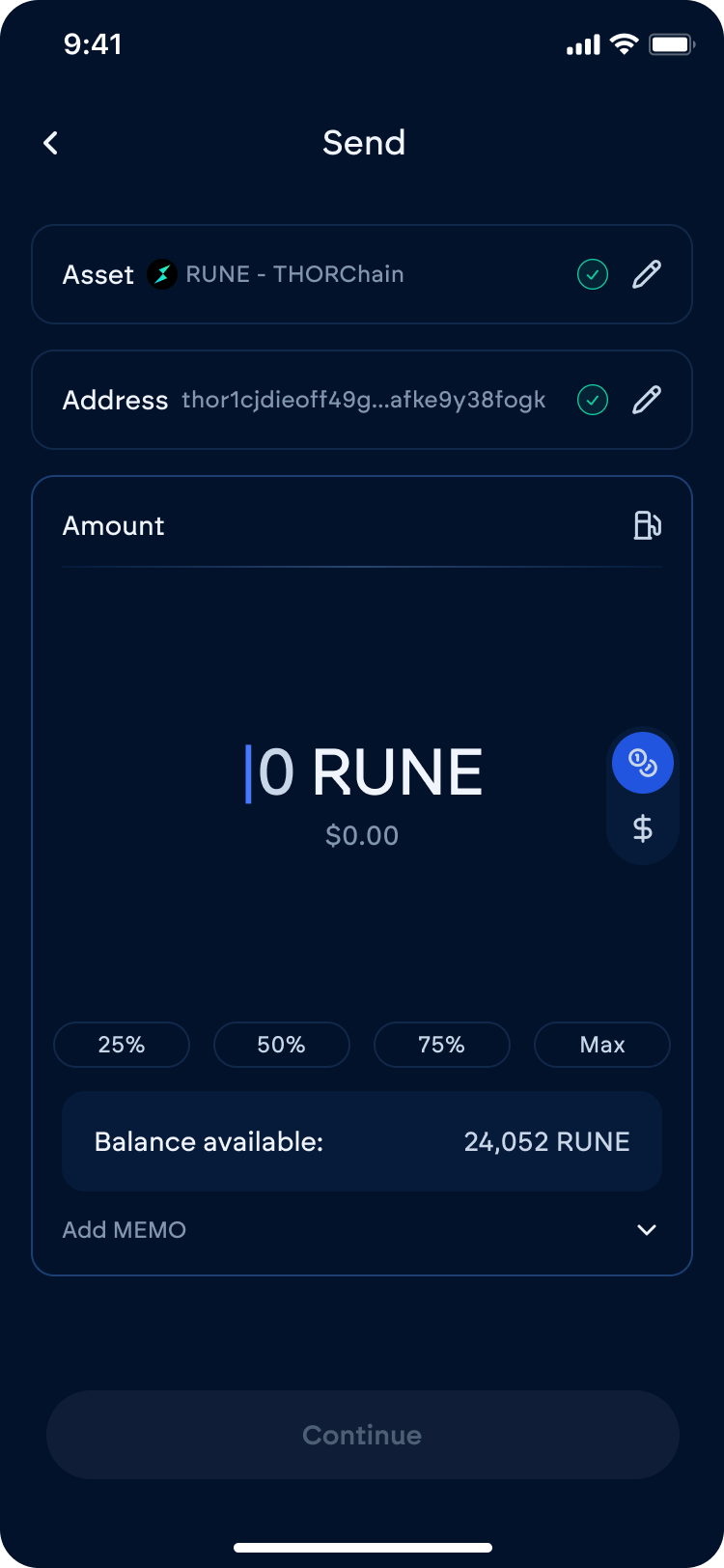
## How to send
1. Select the asset you want to send
2. Tap **Send**
3. Enter the recipient — paste, scan a QR, or pick from the **address book**
4. On XRP, fill the **destination tag** if the receiver asks for one. A missing tag on an exchange deposit can be unrecoverable
5. Enter the amount. **Max** sends the full spendable balance after fees
6. Check destination, amount, network fee, and any decoded function
7. Sign with your devices
8. The app broadcasts after a successful signature
Send Flow
***
## Address book
Save a name and address in **Settings → Address book**, then pick it on send instead of pasting. The book lives on this app install. It is not a backup and it is not a vault share.
***
## XRP destination tags
Ripple (XRP) send shows a destination tag field. Exchanges and some custodians need that tag to credit your deposit. If they give you an X-address, the app can split it into the classic address and the tag.
***
## Blockaid
On by default. Turn it off under **Settings → Vault Settings → Advanced → On-chain security**. On send and on dApp / WalletConnect sign, the verify screen can warn you about a malicious destination or contract. It is a warning, not a lock. You still decide whether to sign. See [Settings](/app-guide/settings.md).
***
## Tips
* Check the recipient address. Once it is on-chain, you cannot undo it
* Leave a little native token in the vault for the network fee
* Prefer a QR or the address book over typing
* For a large first send to a new address, send a small test first
***
## Related
* [Keysign](/security-and-technology/keysign.md)
* [Swapping](/app-guide/wallet/swapping.md)
* [Wallet tab](/app-guide/wallet.md)
---
# Agent Instructions
This documentation is published with GitBook. GitBook is the documentation platform designed so that both humans and AI agents can read, navigate, and reason over technical content effectively. Learn more at gitbook.com.
## Querying This Documentation
If you need additional information that is not directly available in this page, you can query the documentation by asking a question.
Perform an HTTP GET request on the following URL with the `ask` and `goal` query parameters:
```
GET https://docs.vultisig.com/app-guide/wallet/sending.md?ask=&goal=
```
`ask` is the immediate question: it should be specific, self-contained, and written in natural language.
`goal` is what the user is ultimately trying to achieve, the reason they need the answer. Sharing it helps GitBook give you a better, more relevant answer. A goal is most helpful when it describes the outcome the user wants rather than restating the question. For example, with `ask=how do I create an API token`, a goal like `automate deployments from our CI pipeline` lets GitBook tailor the answer to that use case.
The response will contain a direct answer to the question and relevant excerpts and sources from the documentation.
Use this mechanism when the answer is not explicitly present in the current page, you need clarification or additional context, or you want to retrieve related documentation sections.